
By Dawid L., June 21, 2026 · 6 min read
How 3D Configurators Help Interior Brands Sell Better Online
Selling configurable or high-value interior products online isn’t easy. Customers want to see materials, finishes, and details before they buy.
A 3D configurator lets them view and customize the final product before purchase - increasing confidence, conversions and sales, while Shopify handles pricing and checkout as usual.
How does the 3D configurator work?
For interior brands, the biggest challenge in online sales is showing how a product really looks - its materials, finishes, and proportions.
3D configurators help users see the most realistic representation of furniture by showcasing all of a product’s features and options from every angle in an interactive way. This allows users to become more familiar with the product, boosting engagement and leading to higher sales. By providing an accurate, interactive preview of the final product, the configurator reduces customer uncertainty before purchase and helps users make more informed and confident decisions, particularly for high-value products.
Customers can also customize materials, colors, and dimensions before making a purchase. Users can customize materials, colors, and dimensions directly in the configurator.
The configurator acts purely as a visualization layer, while pricing, availability, cart, and checkout are fully managed by Shopify.
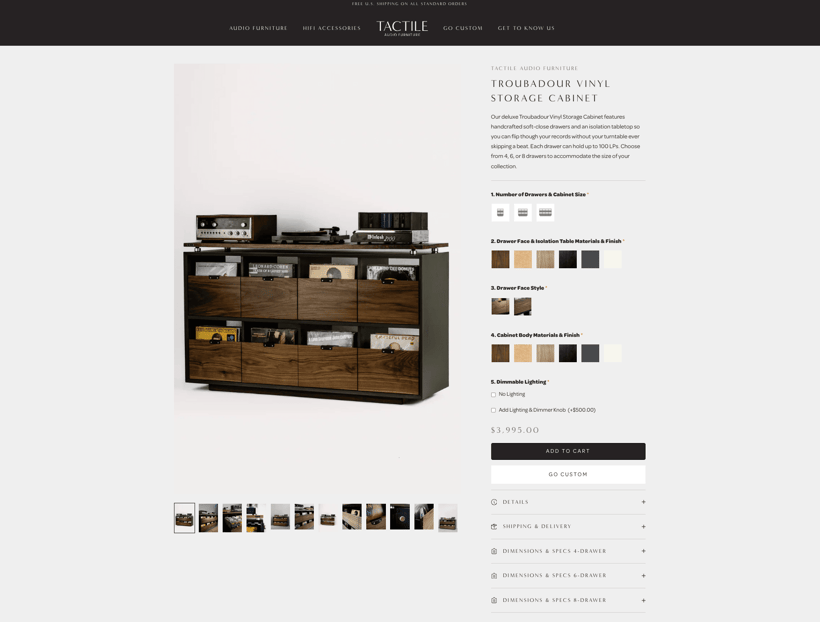
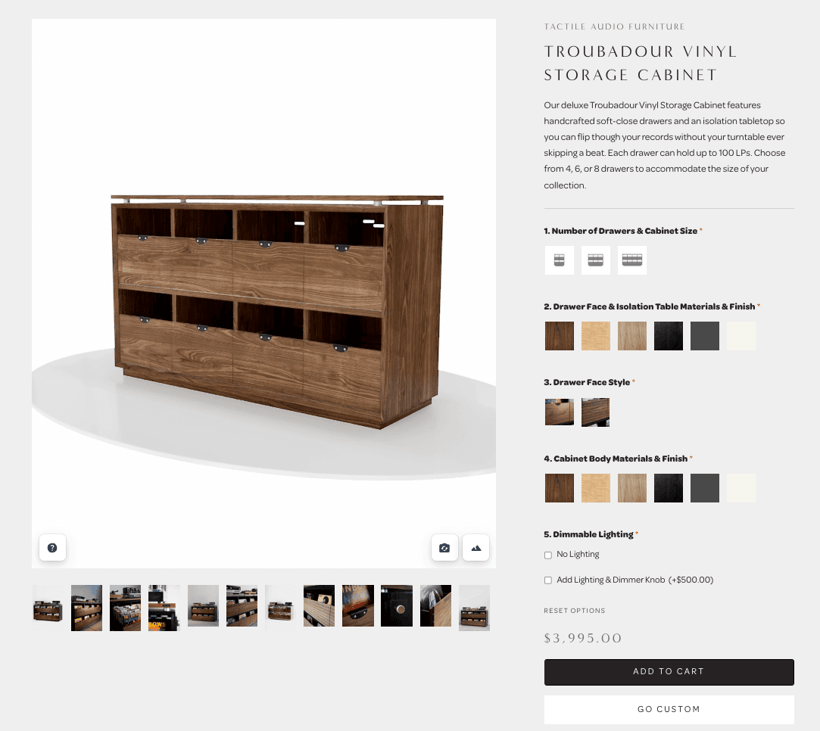
See the 3D configurator in action (project in progress). More soon.
When does a 3D configurator make sense?
- Products are configurable or custom made
When customers can customize dimensions, materials, or components, a configurator helps them understand exactly what the final product will look like.
- Products have a higher unit price
For high-value items, customers tend to spend more time evaluating options. An interactive 3D preview reduces uncertainty and lowers the barrier to purchase.
- Multiple materials, finishes, or variants are available
Wood types, fabrics, colors and surface finishes are easier to understand in 3D, as a configurator visualizes complex variants instead of relying on static images or text descriptions.
- Products are sold without a physical showroom
In online-only sales models, a 3D configurator replaces part of the in-store experience by allowing customers to explore the product in detail before buying.
From a business perspective, the configurator integrates cleanly with Shopify and does not require changes to pricing logic, checkout, or order processing.
Better product experiences for interior & furniture.
How to integrate a 3D Configurator with 3D Source’s Metabox and Shopify
Preparing models in Metabox
The furniture owner collaborates with 3D Source to develop web-optimized 3D models based on CAD files, technical drawings, and reference images. Product variants, available options, and configuration logic are defined by the product owner, while 3D Source implements the corresponding 3D models and configurator logic.
In this context, the configurator consists of two distinct components: models and environments.
-
Models are 3D representations of individual products, including all available options, variants, and configuration logic. These define how the product itself can be customized, such as materials, dimensions, or modular components.
-
Environments are optional, user-selectable 3D backgrounds displayed within the configurator. They allow customers to visualize the product in different real-world contexts, such as various room types or interior settings, helping them better understand how the product may appear in different environments.
Depending on the product complexity, the resulting configurator can range from a basic configuration, where only materials or finishes change, to a modular configuration supporting multiple sizes, components, and add-ons.
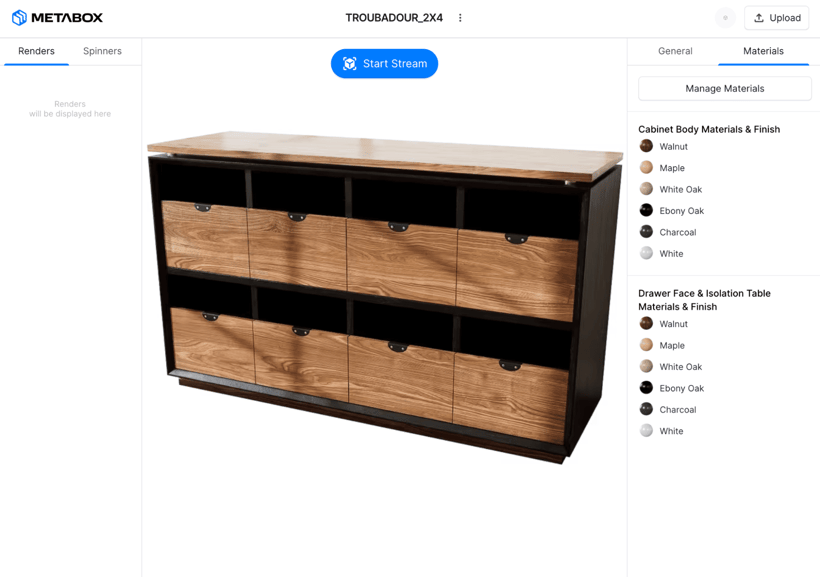
Each product is associated with its own dedicated 3D model and configurator. The final 3D model, along with all defined variants and configuration rules, is made available in 3D Source’s CRM software, Metabox, where it can be reviewed and later integrated with Shopify. A well-prepared configurator simplifies the addition of new options and improves scalability, eliminating the need to create and manage additional product images.
Preparing data in Shopify
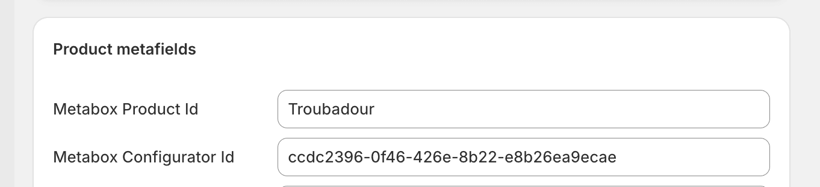
Before starting to integrate the Metabox model into Shopify’s theme, product data needs to be prepared to support the configurator. In order to associate a Shopify product with its corresponding 3D model and configurator, two metafields are added: Metabox Product ID and Metabox Configurator ID, which are used to retrieve the appropriate model and configurator from the Metabox API.
Since all configurable options and variants are defined within the configurator itself, there is no need to associate individual Shopify variants with separate 3D models.
See real projects focused on performance and product presentation.
Adding the Metabox API to the theme code
The configurator is added as the final item in the product page gallery within the main-product.liquid section of Shopify’s Prestige theme. By placing it directly in the main product view, user interaction rate with the configurator is significantly increased.
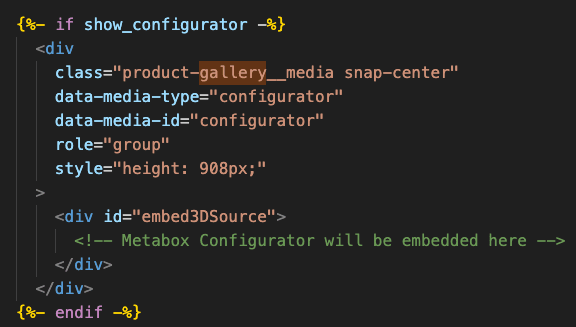
First, a HTML div with id embed3DSource is added. It will act as an anchor for the configurator element initialized with Metabox API. If the configurator is unavailable or still loading, the product gallery seamlessly falls back to static images, ensuring a stable customer experience.
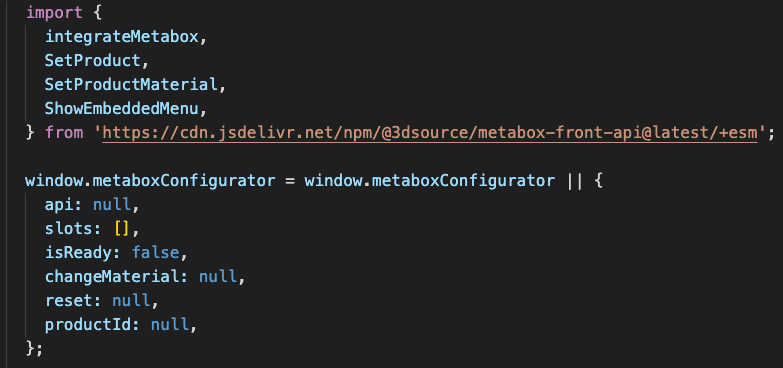
Next, the Metabox API JavaScript dependency is added, and a global object is initialized to store the configurator’s data and functions.
After that, the configurator API is initialized along with functions to control the configurator via Javascript. The Slot ID represents the product’s option, while the Material ID defines the value to apply.
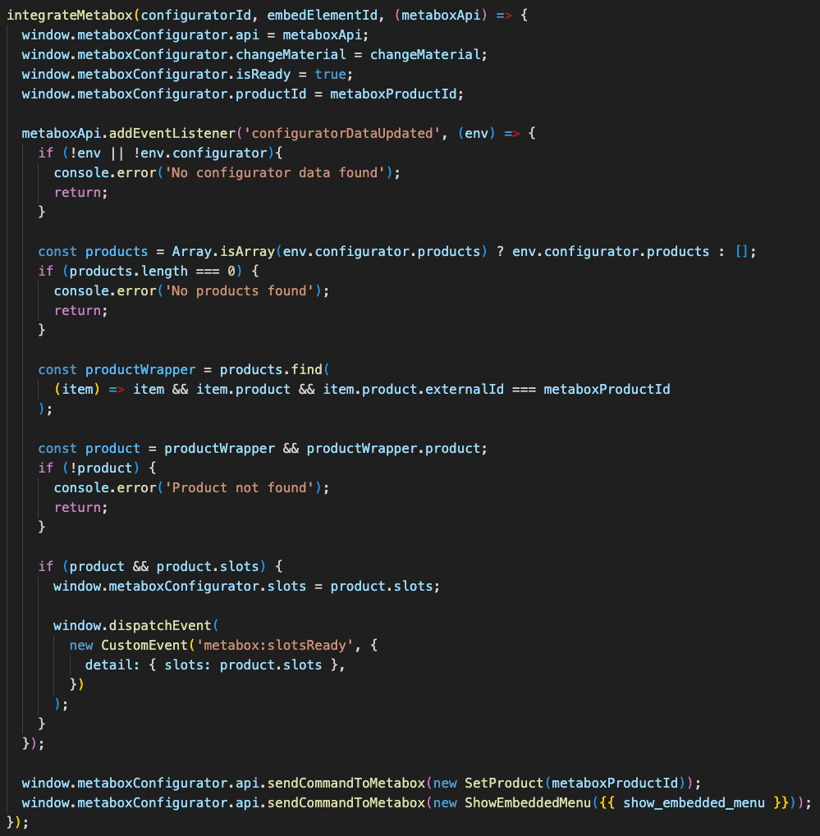
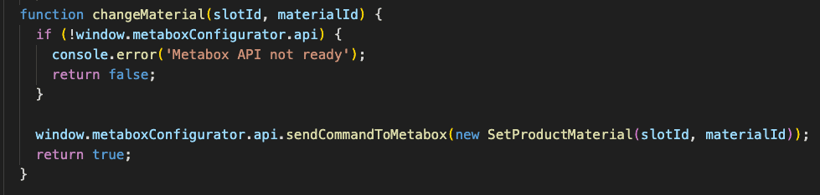
At this stage, the configurator becomes available in the image gallery.
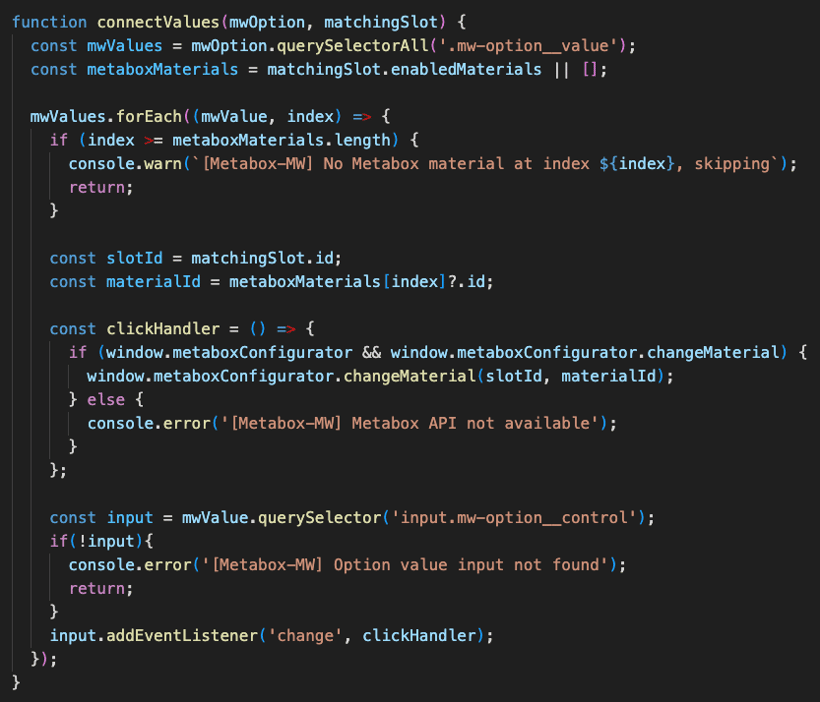
Finally, the changeMaterial() function is connected to the product options in the Shopify theme. In this implementation, the MW APO Options app is used; however, the same approach applies to Shopify’s native product options. Options are mapped by name, while option values are mapped by their corresponding index. Index-based mapping is required due to limitations of the MW APO Options app. This allows the configurator materials to update dynamically in response to option selections.
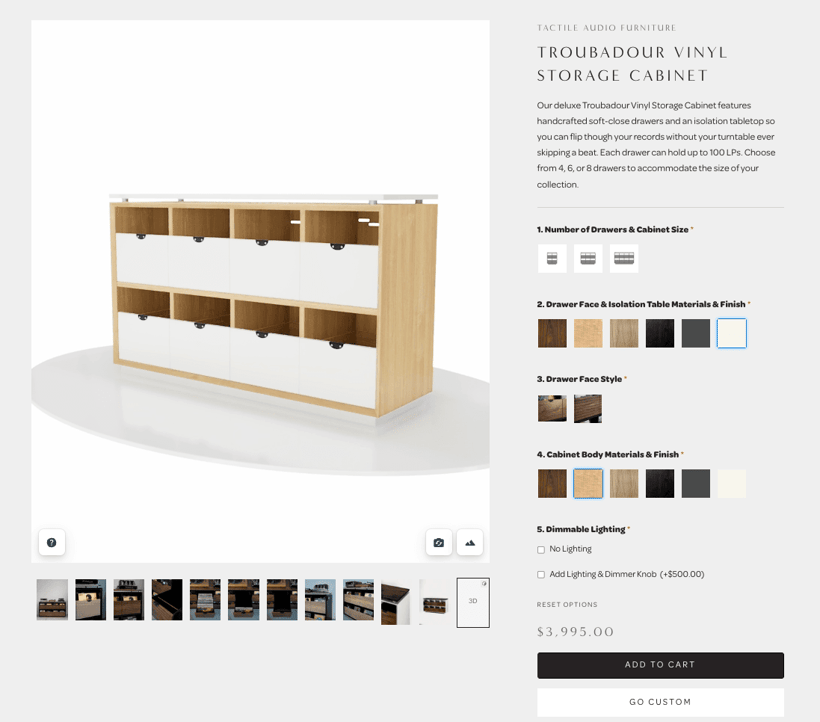
At this point, model materials update dynamically in response to option selections.
Impact on Page Performance
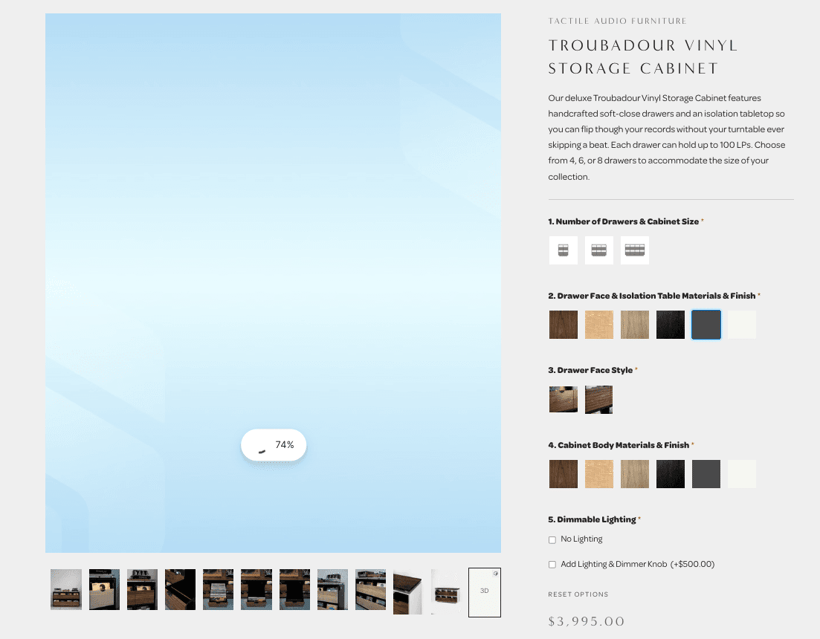
Full rendering of a 3D model has a significant impact on initial page load performance, so the configurator is loaded lazily in the background. While users interact with gallery images and other page content, the configurator continues loading in parallel and is typically ready when accessed. If the user navigates to the configurator within the first 1-2 seconds, real-time loading status is displayed.
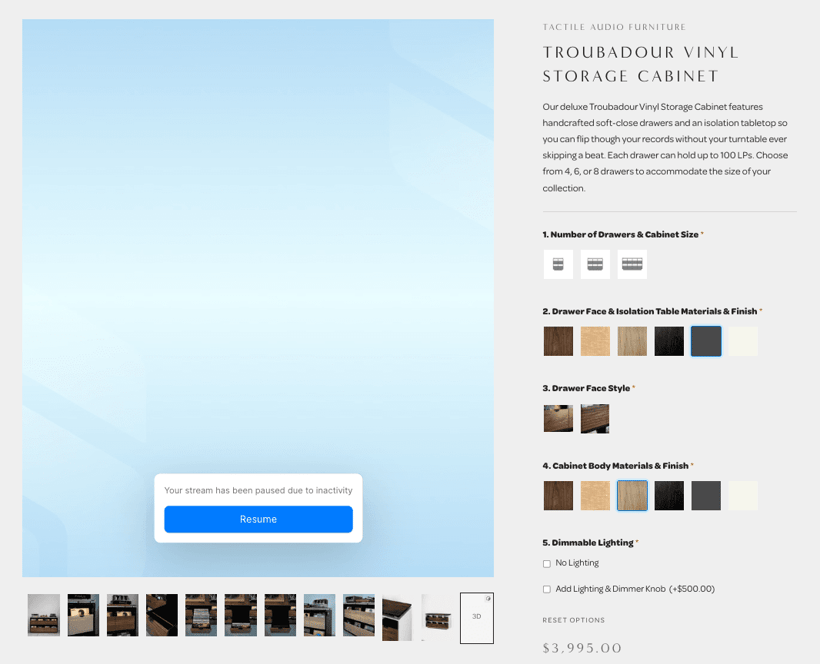
When the configurator remains inactive for several seconds, it enters passive mode to conserve device resources. Users can resume the configurator at any time by clicking on the resume button.
Fast, SEO-safe 3D that converts.
Summary
The 3D configurator provides an interactive visualization layer that allows customers to explore and customize products before purchase. By handling all configuration options and visual variants within the configurator itself, it reduces pre-purchase uncertainty, supports scalable product offerings, and integrates cleanly with the e-commerce platform without affecting core commerce functionality.
This approach is particularly valuable for configurable or made-to-order products, higher-priced items, and online sales models without a physical showroom.
For interior and furniture brands selling online, this means better product presentation, higher conversion rates, and fewer returns caused by unmet expectations.
Would you like to innovate your ecommerce project with Hatimeria?

Junior Fullstack Developer, comfortable both with writing code and playing guitar. Studying Computer Science at Cracow University of Technology for the past three years, with a strong focus on teamwork. Passionate about music - from soft tunes to heavy rock - and often spotted at live concerts. Loves fantasy worlds in books and games, especially The Witcher, Cyberpunk, and Metro. Favorite mood booster? Linkin Park, "Numb".